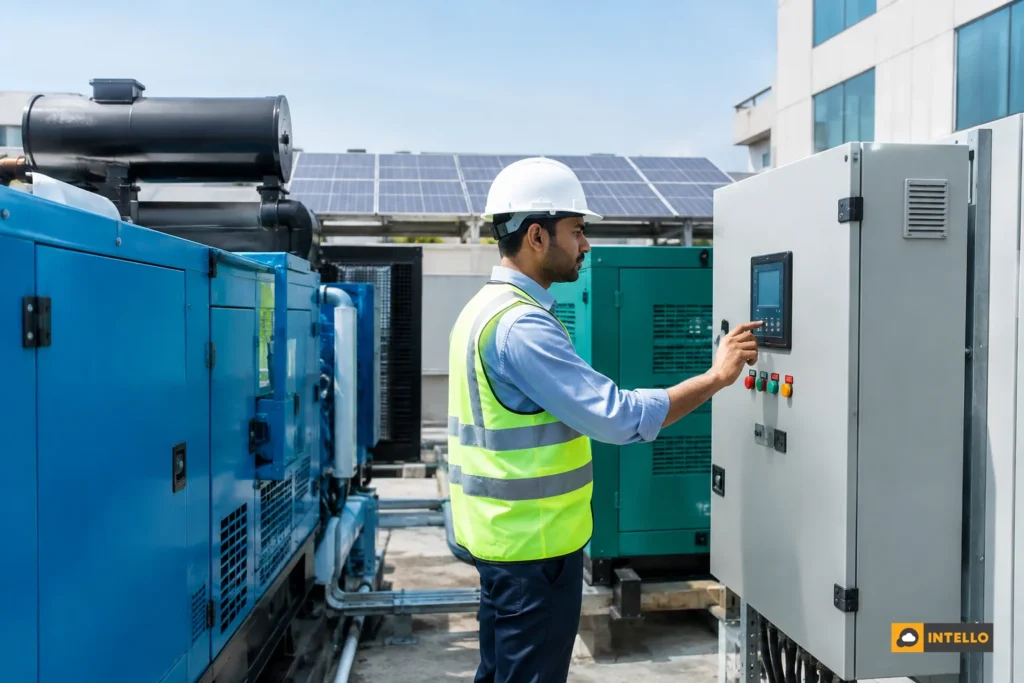
A DG sync commissioning checklist for solar plants should prove, with the plant running, that the inverters stay stable when the grid drops and the diesel generator takes over, that solar output follows the generator’s loading limits, and that the central dashboard records every state change. Teams in India should run it before handover, because sync faults usually appear on the first real power cut.
Key Takeaways
-
Test under real conditions: a plant that syncs well on a grid-connected commissioning day can still trip the first time the generator starts under load, so the grid-off test is not optional.
-
Dashboard evidence beats verbal sign-off: grid status, DG status, controller state, inverter output and export current should all appear on the central dashboard with timestamps before anyone signs the handover.
-
Five-minute data is enough to catch most issues: Intello’s monitoring app updates every 5 minutes, which is fine for state changes, trips and restarts, as long as alarms are also logged as events.
-
Every failed check needs an owner: the EPC fixes wiring, controller and settings faults before handover; the O&M team owns trend checks after go-live.
-
Retest after any change: a firmware update, an inverter replacement or a new DG should trigger a repeat of the grid-off test.
DG Sync Commissioning at a Glance
|
Checkpoint |
What to confirm |
Pass signal |
Usual owner |
|---|---|---|---|
|
Documents and drawings |
Single-line diagram, controller settings, CT locations, DG ratings |
As-built drawings match what is installed |
EPC |
|
Controller and CT wiring |
CT polarity, location and communication link |
Readings on the controller match a reference meter |
EPC |
|
Grid-off to DG changeover |
Inverters wait, then restart after DG power is stable |
No inverter fault, no DG trip, clean restart |
EPC with O&M present |
|
Load-step test |
Solar output follows load changes while DG runs |
DG loading stays inside the generator’s stated limit |
EPC |
|
Return to grid |
Transfer back and inverter reconnection |
Solar resumes without manual reset |
EPC with O&M present |
|
Dashboard and alarms |
Every state change is visible and time-stamped |
Event log shows each step of the test |
O&M |
|
Sign-off pack |
Test log, screenshots, settings backup |
Both teams hold the same copy |
EPC and O&M |
Why Do DG Sync Failures Often Show Up Only After Go-Live?
Sync failures surface after go-live because commissioning usually happens with the grid present and the generator idle. The conditions that stress a solar and diesel setup, such as a sudden outage, a generator starting under load and inverters reconnecting, rarely occur during the handover visit. The first real power cut becomes the first real test.
Public procurement documents show how real this is. One government tender for solar and DG synchronization in Uttar Pradesh describes a site where solar power input was tripping the DG during generator operation because of a synchronization issue. The plant existed and generated well. It failed at the exact moment backup power mattered.
Three habits make this common on commercial and industrial sites:
-
Grid-only commissioning: the acceptance test checks generation, insulation and grid connection, but nobody switches the grid off.
-
Split responsibility: the solar EPC handles inverters, a separate vendor handles the DG panel, and the controller sits in the gap between them.
-
Settings that drift: a controller set on day one is rarely reviewed after a DG service, an inverter swap or a load change.
The cost shows up in two ways. Either the generator trips and the site loses backup power, or the controller shuts solar down whenever the DG runs, so the plant earns nothing during outages and diesel burns in full. For a deeper look at the mechanics, see our explainer on how DG synchronization with solar works and why it fails.
What Should the Central Dashboard Confirm Before Handover?
Before handover, the central dashboard should confirm six things: grid status, DG status, controller state, inverter output, current at the control point, and a time-stamped event log. If any of these is missing, the team cannot prove the sync logic worked, and the next fault becomes a guessing exercise.
Handover has often been a paper exercise: a signed form and a few photographs. A dashboard changes that, because it shows what the plant did during the test. Our guide to what a solar remote monitoring dashboard should show you covers the wider view. For DG sync, the signals below matter most.
The signals to look for
-
Grid and DG status: two separate on/off indicators. They should never both show “on” for more than the changeover moment.
-
Controller state: whether the DG-PV controller sees the generator, and which limit it is applying.
-
Inverter power and status: output should step down or hold as the controller instructs, not drop to zero with a fault code.
-
Current at the control point: the CT reading the controller uses. A wrong value here is behind many “mysterious” trips.
-
Events and alarms: each transfer, restart and trip time-stamped, so the test can be replayed later.
-
Communication health: every device reporting, with no gaps during the transfer.
How to judge the readings
A good result is a smooth sequence: grid status turns off, DG status turns on, inverters pause, then resume at a level the controller allows. A bad result is any inverter fault code, a DG trip, a controller that shows no link, or a dashboard that goes blank during the transfer. If the dashboard has gaps at the very moment of changeover, the test proves nothing.
Intello’s monitoring app updates data every 5 minutes. That is adequate for confirming states and reviewing trips, but a fast changeover can finish between two readings. So rely on the event log and the controller’s own records for exact timing, and use the 5-minute trend for the pattern before and after.
The DG Sync Commissioning Checklist, Step by Step
Use the steps below in order. Each one lists what to do, the dashboard evidence to capture and the point at which you stop and fix something. Treat any generator rating, loading limit or settings value as coming from the DG manufacturer, the controller maker and the approved design, not from this article.

Step 1: Collect the documents before touching the panel
-
Single-line diagram showing the grid, DG, solar inverters, changeover and CT points.
-
DG nameplate rating and the manufacturer’s minimum loading guidance.
-
Controller model, settings sheet and communication map.
-
Inverter model list and firmware versions.
Stop if the drawing does not match the site. Fix the drawing first. A wrong diagram means wrong CT assumptions. Our solar EPC handover checklist lists the wider document set your O&M team should receive.
Step 2: Verify CT placement, polarity and signal
Confirm every current transformer sits where the drawing says, faces the right direction and reads a sensible value. Compare the controller’s reading with a reference meter on the same circuit. Capture a screenshot of both. Stop if the readings disagree noticeably or the sign is reversed; a reversed CT can make the controller believe power is flowing the wrong way.
Step 3: Check controller settings against the design
Read the controller’s configured limits, then compare them with the approved design and the DG loading guidance. Save a backup of the settings file. Confirm that every inverter the controller must manage is on its list. One Intello RTU can configure up to 32 inverters, so a larger plant needs more than one, and each should be mapped correctly. Stop if any inverter is missing from the control list.
Step 4: Confirm communication before the live test
Every inverter, meter, controller and RTU should report to the dashboard. Look for gaps in the last few hours. A device that drops out intermittently on a normal day will drop out during changeover. Fix cabling, signal strength or network settings first. Our comparison of RTU vs datalogger monitoring explains why the data path matters for control-linked sites.
Step 5: Run the grid-off to DG changeover test
With site management’s permission and a safety briefing, simulate a grid failure using the site’s approved method. Start a stopwatch and note the time of each event. Watch for the following:
-
Inverters shut down safely when the grid disappears, as designed.
-
The DG starts and stabilises before the load transfers.
-
Inverters wait for stable DG power, then restart without a manual reset.
-
No DG alarm, no inverter fault, no controller error.
Stop if the DG trips, an inverter shows a fault that needs a manual restart, or solar never resumes. Record the exact fault code and time before resetting anything.
Step 6: Run a load-step test while on DG
While the plant runs on DG with solar, raise and lower the site load in steps. Solar output should move within the limit the controller allows, and the generator should not be pushed into unstable loading. Capture the inverter output and the control-point current throughout. Stop if solar exceeds what the load and the DG can safely absorb, or if the DG loading goes outside the manufacturer’s stated range.
Step 7: Test the low-load case
Many failures come when site load is low and sun is strong. The controller must curtail solar so the generator does not become the thing absorbing surplus. Repeat the test at the lowest realistic load. Stop if power flows back toward the generator at any point. That is a settings or CT fault, not a “tune later” item.
Step 8: Test the return to grid
Restore the grid and watch the transfer back. The DG should unload and stop as designed, and the inverters should reconnect on their own after the grid is stable. Check the dashboard for both events. Stop if any inverter stays offline waiting for a manual reset.
Step 9: Check the dashboard record of the whole test
Open the event log and replay the test. Every transfer, restart and alarm should appear with a timestamp that matches your stopwatch notes within the reporting interval. Confirm the alerts reach the right people by email or app. If the dashboard shows a gap during the transfer, find out why before sign-off.
Step 10: Sign off with a shared evidence pack
The pack should hold the test log, dashboard screenshots, the controller settings backup, the CT reference readings and a list of open items with owners and dates. Both the EPC and the O&M team keep identical copies. The commissioning engineer, the site owner’s representative and the O&M lead should each sign.
Pass, fail and what to do next
|
Check |
Pass |
Fail |
Action on fail |
|---|---|---|---|
|
CT reading |
Matches reference meter, correct sign |
Mismatch or reversed sign |
Correct wiring or polarity, then repeat steps 2 to 8 |
|
Changeover |
Clean DG start, inverters restart alone |
DG trip or inverter fault |
Record code, review controller and inverter settings, retest |
|
Load step |
Solar follows load, DG loading stays in limit |
Solar overshoots or DG overloads |
Review limits with the controller vendor |
|
Low-load case |
No reverse flow to DG |
Any reverse flow |
Do not hand over; fix before go-live |
|
Dashboard record |
Complete, time-stamped log |
Gaps or missing devices |
Repair communication, rerun the test |
A grid-connected plant also needs its separate approvals. For example, Maharashtra’s benchmark cost document says the project developer must take approval or NOC from the concerned DISCOM for technical feasibility and synchronization with the distribution network before commissioning. That covers grid synchronization. It does not replace a DG sync test, so plan for both.
Common Sync Faults Teams Miss
Most faults trace to a short list of causes. Knowing them lets you inspect the likely suspects first, instead of searching the whole system after a trip.
-
Reversed or misplaced CT: the controller reads the wrong direction or the wrong circuit, so it limits solar wrongly or not at all.
-
Communication loss under load: a device that reports fine at idle drops out when electrical noise rises during changeover.
-
Unmapped inverters: an inverter added late is never added to the control list, so it keeps exporting while the others obey.
-
Settings copied from another site: limits that suit one DG and load profile do not suit another.
-
Untested low-load case: the plant passes at a normal load and fails on a quiet holiday.
-
No retest after a change: a new DG, firmware update or inverter replacement quietly changes behaviour.
The catch is that several of these look identical on the dashboard: solar output falls to zero while DG runs. Only the event log, the CT readings and the controller state tell them apart. This is why the evidence pack matters. Not every site has the same answer either; on a plant with several DGs or a ring main, the right controller logic is still a design decision that this checklist cannot settle for you.
How Does Intello Monitoring Support Handover and Early Fault Detection?
Intello supports handover by feeding grid, generator, inverter and alarm data into one central dashboard, using its self-developed IoT monitoring system. The system reports in real time to a platform that updates every 5 minutes, so the commissioning test leaves a record the O&M team can read afterwards.
Intello states it monitors and maintains 1500+ sites across India. That experience shapes how we approach handover: we ask for the test record before the plant goes live, not after the first complaint. What the platform adds to a DG sync commissioning:
-
One view across devices: inverters, meters and controller data appear together, so a trip can be traced across them.
-
Custom RTUs: one RTU can configure up to 32 inverters, which keeps larger plants on a single data path.
-
Diagnosis of fault type: our mobile app, available on iOS and Android, is India’s first to diagnose the nature of solar faults, which helps the O&M team sort a communication gap from a hardware trip.
-
Fast response: under our AMC, we commit to responding within 1 hour of a remote alert.
-
Data ownership: customers can export their generation data if they leave Intello.
Early fault detection in the first weeks
The first month after go-live is when a marginal sync setup reveals itself. Review the dashboard for repeated inverter restarts, unexplained zero-output periods that match generator hours, and communication gaps. Our guide on how IoT sensors detect solar faults before they cost you shows how these patterns appear in data.
A hypothetical example
Suppose a commercial rooftop plant passes a grid-connected acceptance test. A week later, a storm cuts the grid and the DG starts. The dashboard shows solar output at zero across the whole DG run, while the controller shows no link to one inverter group.
The fix is a missing inverter mapping and a weak communication path, both of which a grid-off test would have caught on commissioning day. This is a constructed illustration, not a client case.
Who Should Own Which Check: EPC or O&M?
The EPC should own every check that proves the installation works: wiring, CT placement, controller settings and the live changeover tests. The O&M team should witness those tests, own the dashboard and alert setup, and take over trend monitoring and retesting after go-live.
A simple decision rule helps. If a fault could have existed on commissioning day, it belongs to the EPC until handover is signed. If it appears after a change on the site, such as a new DG or a software update, the O&M team raises it and the party that made the change fixes it. Put this in writing in the handover pack.
For EPCs that do not want to run long-term service, our guide to in-house vs outsourced solar O&M in India explains how the split usually works. Having the O&M team present at the test also means they inherit knowledge, not just paperwork.
FAQs on DG Sync Commissioning
When should the DG sync test be done?
Run it after the solar plant is energised and monitoring is online, but before the handover is signed. Do it in good sunlight and at a time site management approves, since it interrupts normal power. Repeat it after any change to the DG, the controller, the inverters or their firmware.
Does a plant need a DG sync test if it has no generator today?
If no generator is planned, the test does not apply. If one may be added later, record that in the handover pack. Adding a DG changes how the whole plant behaves during outages, so the test should be done at that time, with the O&M team present.
Can remote monitoring alone confirm that DG sync works?
No. Remote monitoring shows what the plant did, but someone still has to switch the grid off and run the test. The dashboard then proves the result. Without a live test, a clean dashboard only shows that nothing has gone wrong yet.
How often should the sync be rechecked?
Recheck after every relevant change, and review the dashboard for restart or zero-output patterns during DG hours at each routine maintenance visit. Your AMC and the DG maker’s service schedule give natural moments to confirm the settings have not drifted.
Next Step: Get Handover Evidence Your Team Can Trust
A dg sync commissioning checklist only works if the dashboard proves each step and someone owns each fix. If you are an EPC closing out a project or an asset owner taking over a plant, we can set up the monitoring and review the test record with you.
Request a quote for monitoring and AMC support and tell us how many sites and inverters you have. Existing customers can open the Intello portal to review their dashboards, and you can read more about our team and 5+ years of O&M experience before you decide.